Learn how to define route stop tasks using Samsara Documents. Please see the Documents knowledge base article for an overview of documents and document types. Here are the steps for defining a route stop task:Documentation Index
Fetch the complete documentation index at: https://samsara-showcase.mintlify.app/llms.txt
Use this file to discover all available pages before exploring further.
- Save the route stop ID and driver ID for the given stop and driver you want to associate the task with.
- Retrieve the relevant document type for the route stop task.
- Create a document for the given driver and associate it with the route stop. This will list the document in the Tasks section of the Driver App for a given route stop.
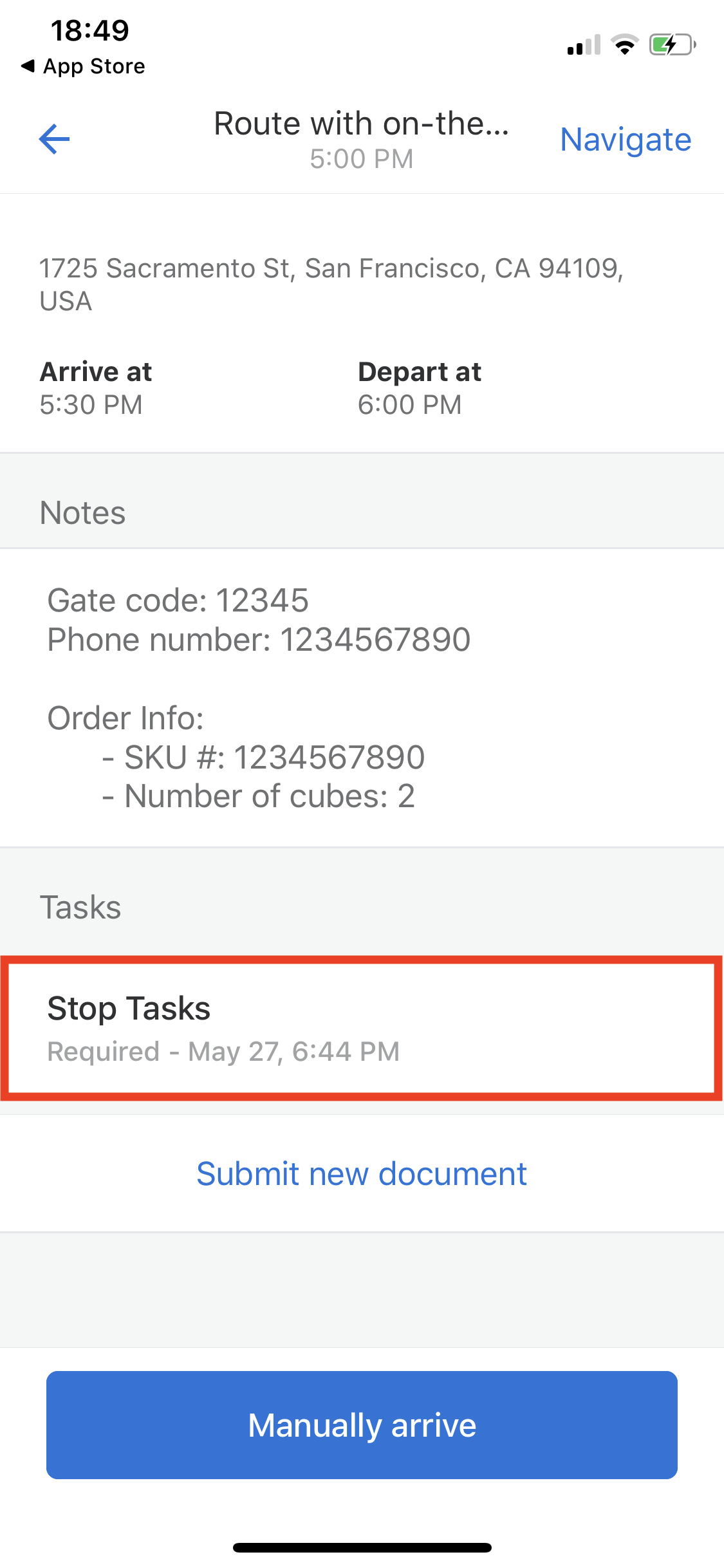
Generic Documents versus Route Stop TasksDrivers can submit generic documents at any time from the Documents tile in the Samsara Driver App.This guide shows how to create a required document that becomes a task when associated with a given stop.
Save the Stop and Driver IDs
In order to create a stop task, you should retrieve thedriverId and the [stops].id of the driver and stop you want to create the task for:
driverId and [stops].id fields, and not the external IDs.
Values from the example above:
driverId:1654973stops[0].id:4439748157
Retrieve the Document Types
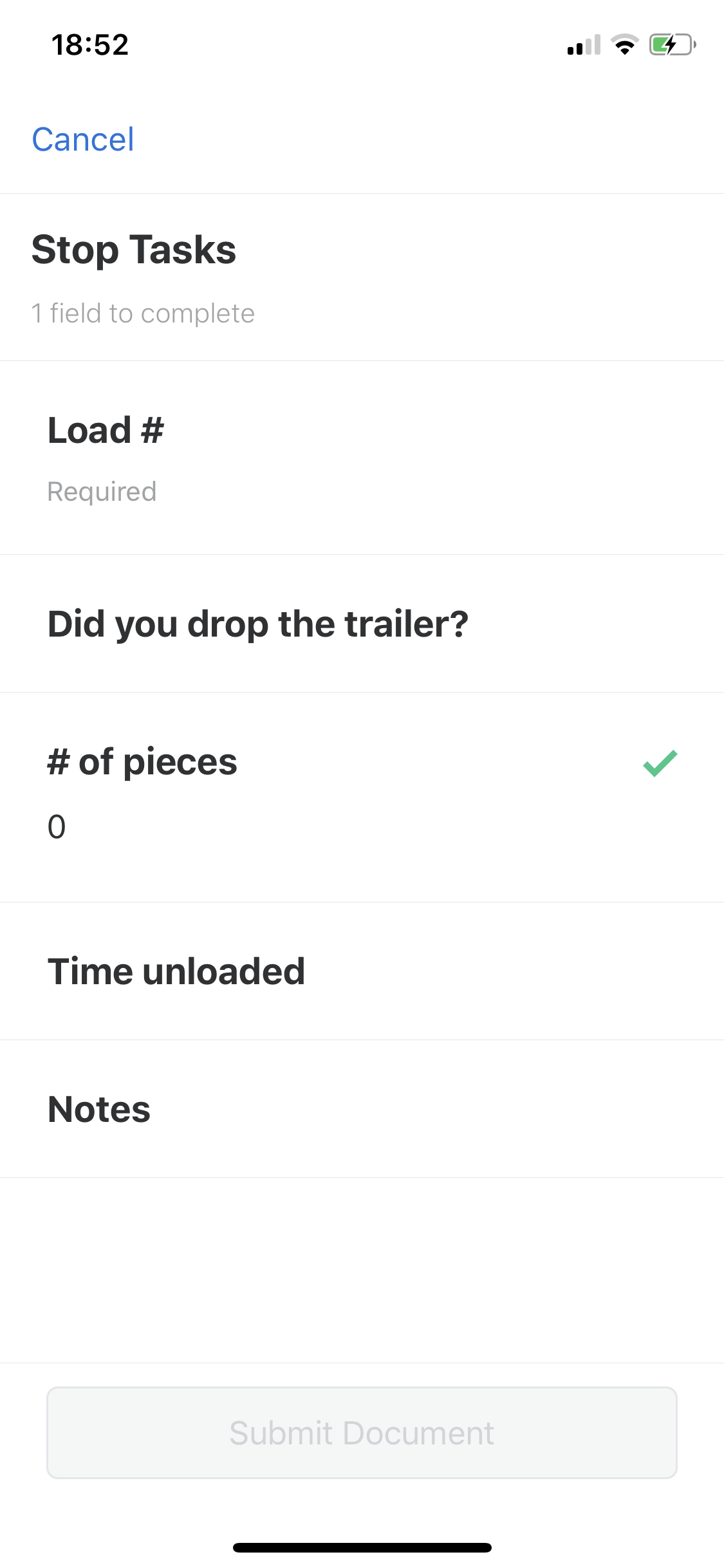
Documents are created using document types. Document types define the fields for a document. Here’s an example of a document type with four fields: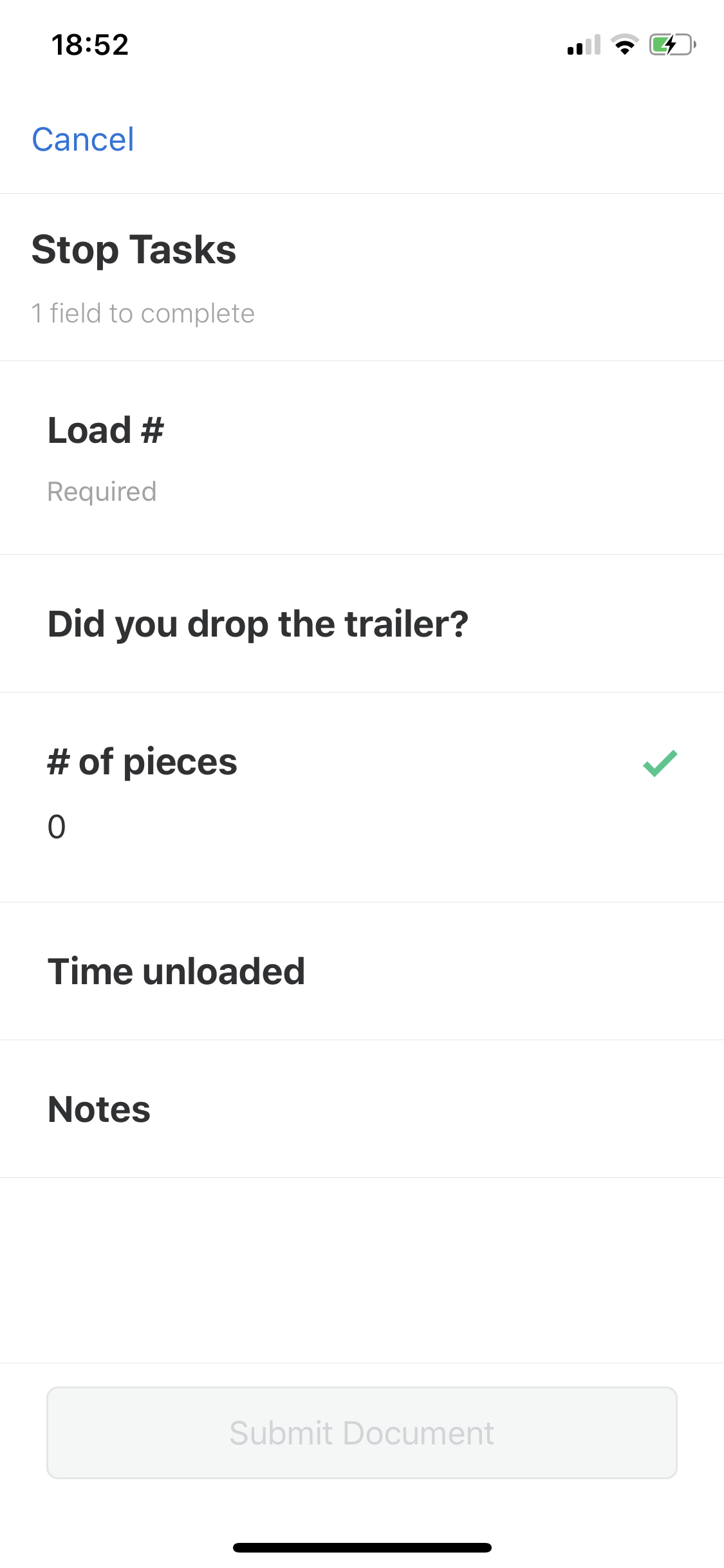 Let’s take a look at a sample request that retrieves the list of document types available:
JSON Response
documentTypes. Each document type has a uuid and an array of fieldTypes. The document type we want to use is called Stop Tasks. This document type has four fields:
Load #which is a string field.Did you drop the trailer?which is a multiple-choice field. The options for this field are:YesNo
# of pieceswhich is a number field. This number field is constrained to 0 decimal places.Time unloadedwhich is a DateTime field.
Create the Document
When creating the document for the route stop task, you will:- Use the driver ID retrieved in step 1 as a path parameter in the API endpoint.
- Construct a JSON request body that:
- Includes the ID of the route stop from step 1.
- Includes the UUID of the document type from step 2. In this case, it is the UUID for the “Stop Tasks” document type.
- Enumerate the fields of the document in the request body.