

Documentation Index
Fetch the complete documentation index at: https://samsara-showcase.mintlify.app/llms.txt
Use this file to discover all available pages before exploring further.
- Polling the REST API for faults. In this strategy, you make HTTP requests to Samsara’s REST API, retrieving any fault codes that may have occurred over a desired time range. You determine how frequently to make requests and poll for data.
- Configuring a fault code webhook alert. In this strategy, you configure a webhook for Samsara to send alerts to whenever a fault occurs. This strategy requires you to define an HTTP endpoint within your application to handle the webhook alerts that Samsara will send. These alerts occur in real-time whenever a fault code is triggered.
Polling the REST API
There are three options for pulling fault code data from the REST API:- Get currently active fault codes
- Generate a fault history report for a given time period
- Follow a feed of fault events
Currently Active Faults
The following API call will return the most recent fault code reading from the ECU for each vehicle in the fleet:data array with an entry for each vehicle in the fleet:
faultCodes field will contain details on the last fault code reading for that vehicle.
The response may contain multiple pages of data. See the Pagination guide for details on how to use the pagination field to retrieve all the pages of data.
Fault History Report
The following API call will return all fault code readings over a desired time range. These readings are reported by the ECU. ThestartTime and endTime query parameters accept RFC 3339 format (e.g. 2020-09-01T00:00:00Z for UTC time or 2020-09-01T00:00:00-07:00 to use a timezone offset).
data array with an entry for each vehicle in the fleet:
faultCodes field will contain an array offault code readings that occurred during the requested time range.
The response may contain multiple pages of data. See the Pagination section of the Telematics History guide for details on how to use the pagination field.
Fault Code Feed
The following API call will initiate a feed of fault code readings. The readings are reported by the ECU.data array with an entry for each vehicle in the fleet. The faultCodes field of each vehicle will contain the most recent fault code reading received from the ECU. The pagination object will contain an endCursor for the next poll to the feed:
after query parameter:
faultCodes array, and the pagination object will provide you with a new cursor to use for the next poll to the endpoint:
/feed endpoint.
faultCodes
Depending on the endpoint you choose, the faultCodes field will either be an array of fault code readings, or it will be a single fault code reading.
obdii readings
confirmedDtcs, pendingDtcs, and/or permanentDtcs arrays are empty. See below for details.
An OBD-II fault code event will consist of the following fields:
diagnosticTroubleCodes- an array where each entry contains a reading from one of the vehicle control modules (a vehicle may have one or many vehicle control modules). A reading will consist of:confirmedDtcs- an array of “confirmed” fault codes (DTCs). Confirmed DTCs will generally cause the check engine light to go on and usually require immediate attention. If there are no confirmed DTCs, this array will be empty.pendingDtcs- an array of “pending” fault codes (DTCs). Pendings DTCs will not turn on your check engine light. They indicate something is behaving abnormally, but not so much as to mean there is an actual problem. If there are no pending DTCs, this array will be empty.permanentDtcs- an array of “permanent” fault codes (DTCs). Permanent DTCs cannot be cleared by a scanning tool and only go away once the issue itself has been resolved. Usually having to do with emissions-related data. If there are no permanent DTCs, this array will be empty.monitorStatus- a dictionary containing the status of each emissions system monitor. These monitors run through regular self-check routines to report whether the vehicle has completed a full drive-cycle for emissions monitoring. Each status may be:Rfor Ready,Nfor Not Ready, orUfor Unsupported. This dictionary will also contain anotReadyCountto indicate whether the vehicle has completed the drive cycle. This field may not be present if the ECU has no monitor status data to report at the given time.txId- the ID of the vehicle control module providing the reading. Also called the transmitter ID or TX ID.ignitionType- the ignition type of the given vehicle control module. Valid values:sparkorcompression. This field may not be present if the ECU is not reporting ingition type at that time.milStatus- a boolean indicating whether the reading caused the check engine light to be illuminated. This field may not be present if the ECU is not reporting MIL status at that time.
checkEngineLightIsOn- a boolean representing whether the check engine light is on. This field may not be present if the ECU is not reporting data on the check-engine light at that time.
j1939 readings
checkEngineLights- Indicates whether any of the check engine lights are on.diagnosticTroubleCodes- an array containing fault codes (empty if there are no active fault codes).
Webhook Alerts
You can configure a Webhooks alert to send your application HTTP requests whenever a fault code is triggered. See the Webhooks guide for details on how to create and configure webhooks and alerts. You’ll want to configure a Fault Code alert within the Samsara Dashboard: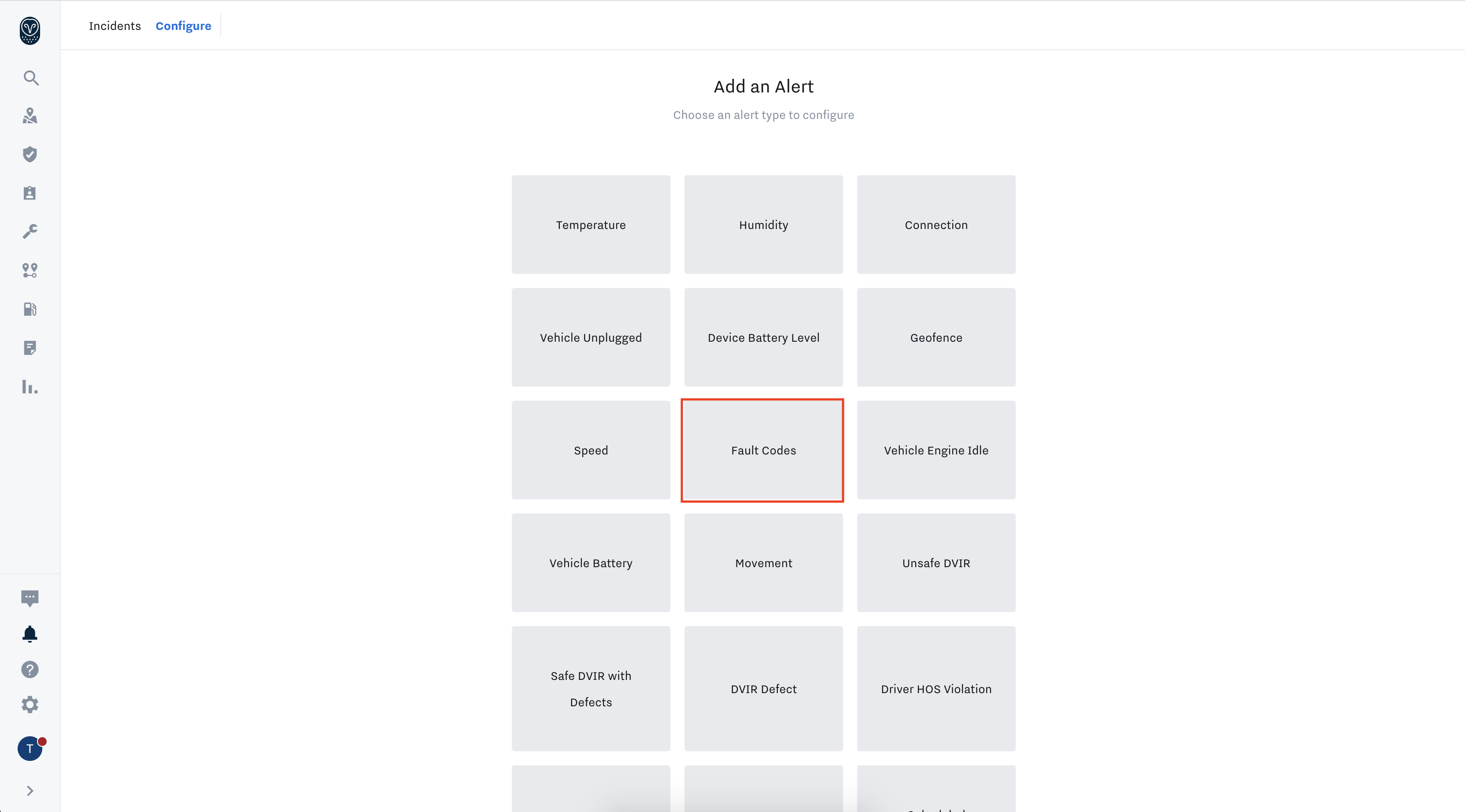 Once you’ve configured the alert, see the Webhook Reference Fault Codes section for details and examples of the webhook payload.