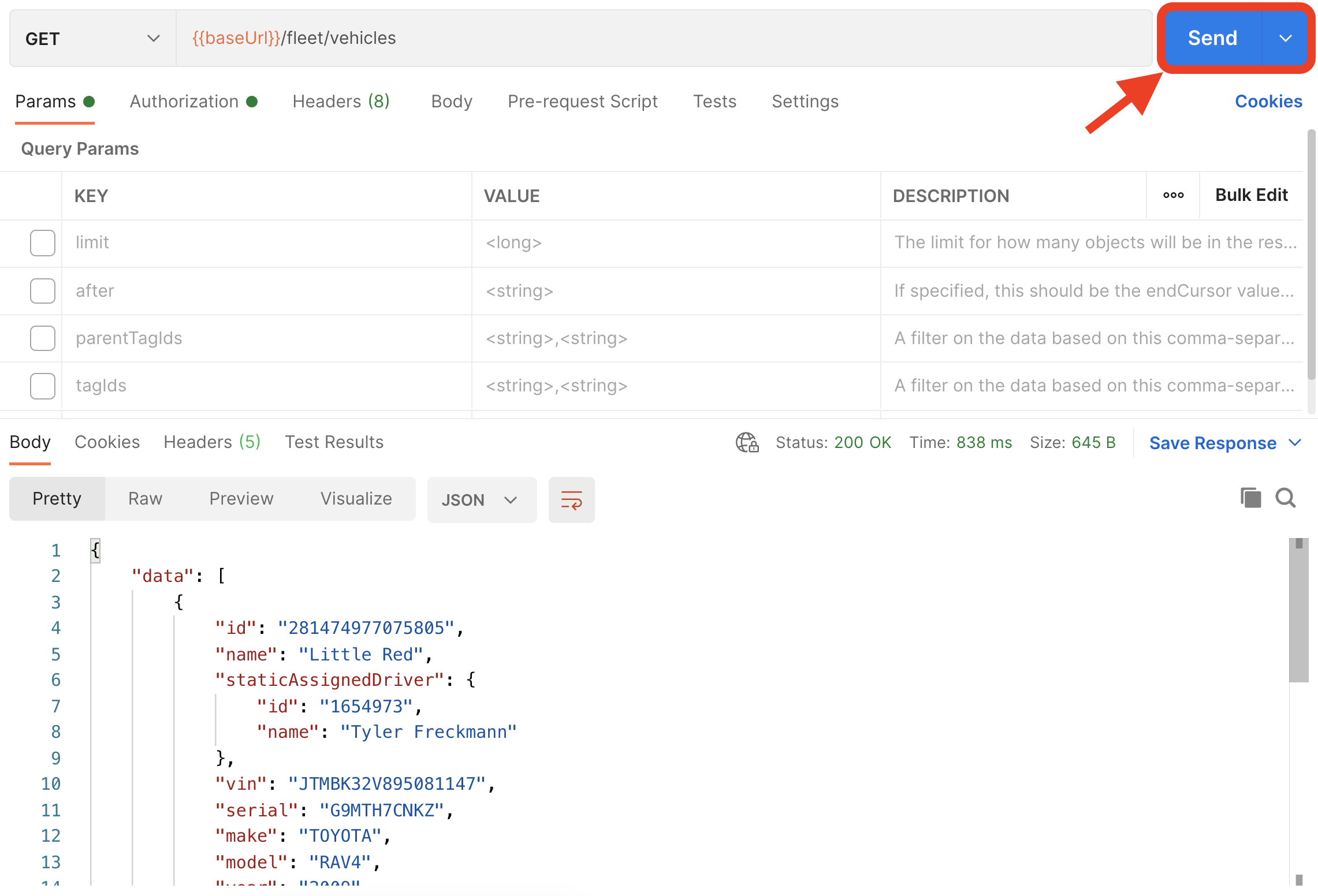
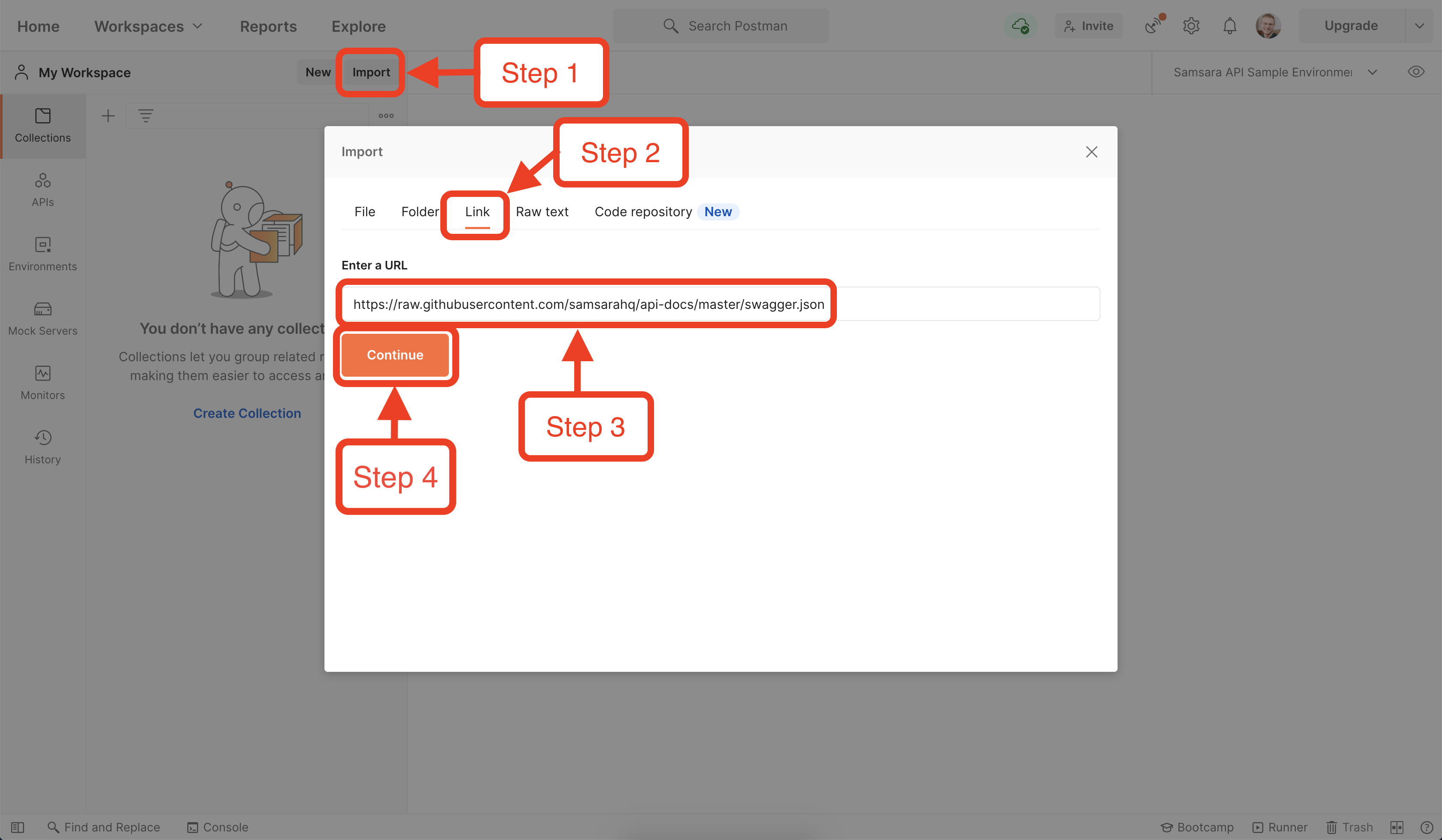
Postman is an easy to use, point and click tool for testing REST APIs. You can import Samsara’s OpenAPI spec directly into Postman to get started testing our REST APIs.Documentation Index
Fetch the complete documentation index at: https://samsara-showcase.mintlify.app/llms.txt
Use this file to discover all available pages before exploring further.
Samsara’s OpenAPI spec is always kept up-to-date, so you can re-import the spec into Postman whenever you like.
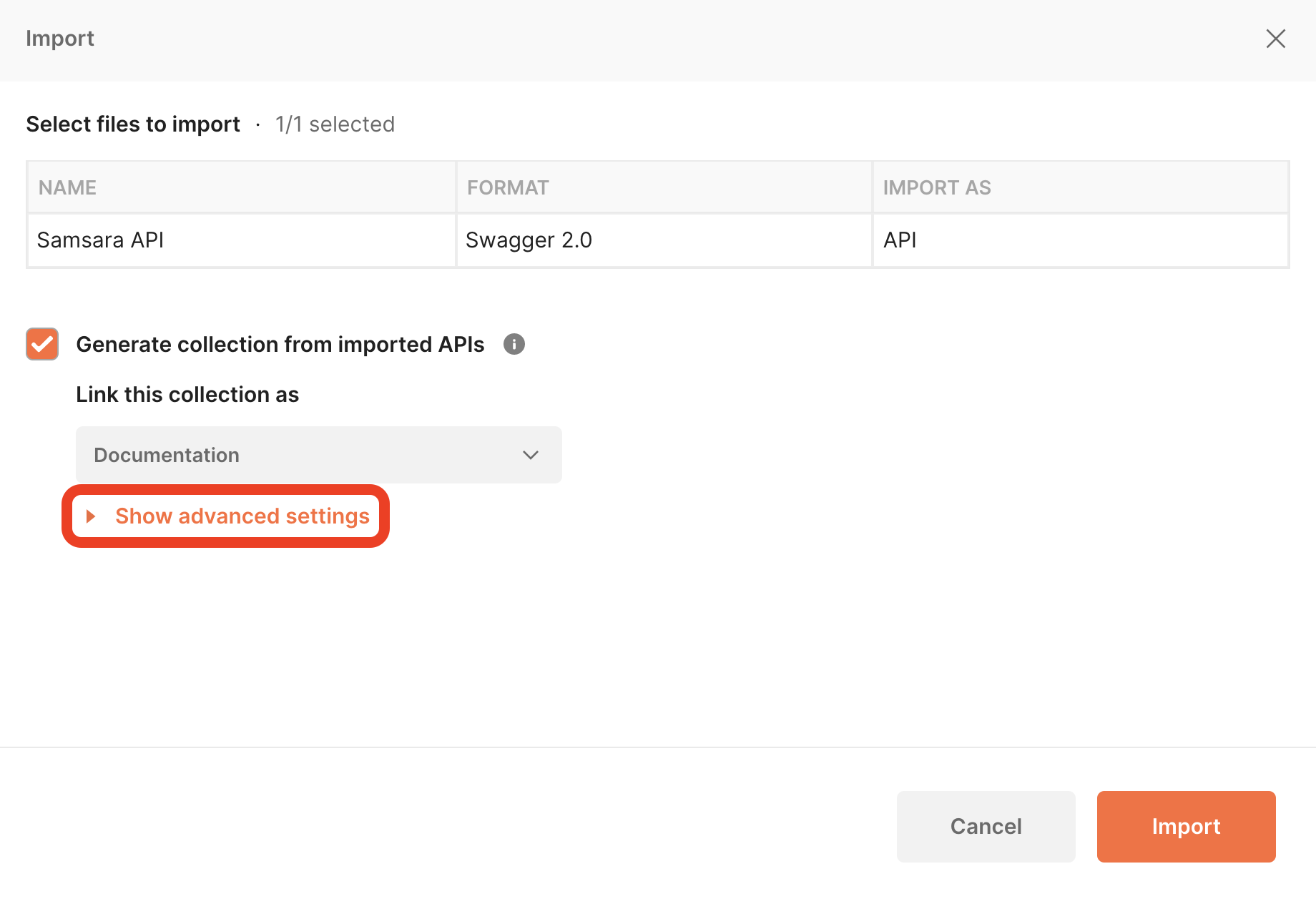
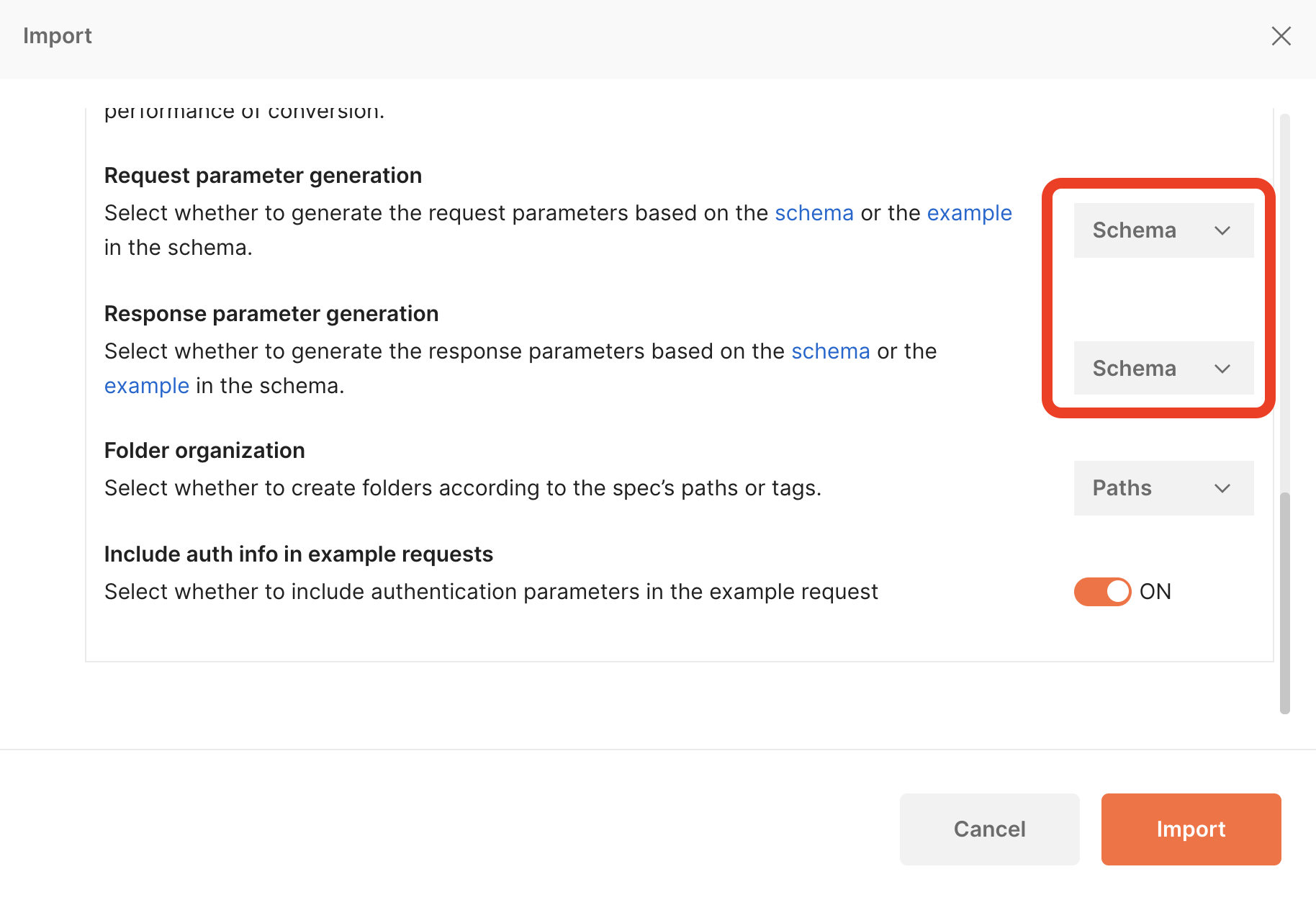
 You may have to edit the “Advance Settings”. Make sure the “Request Parameter Generation” and “Response Parameter Generation” are set to “Schema”.
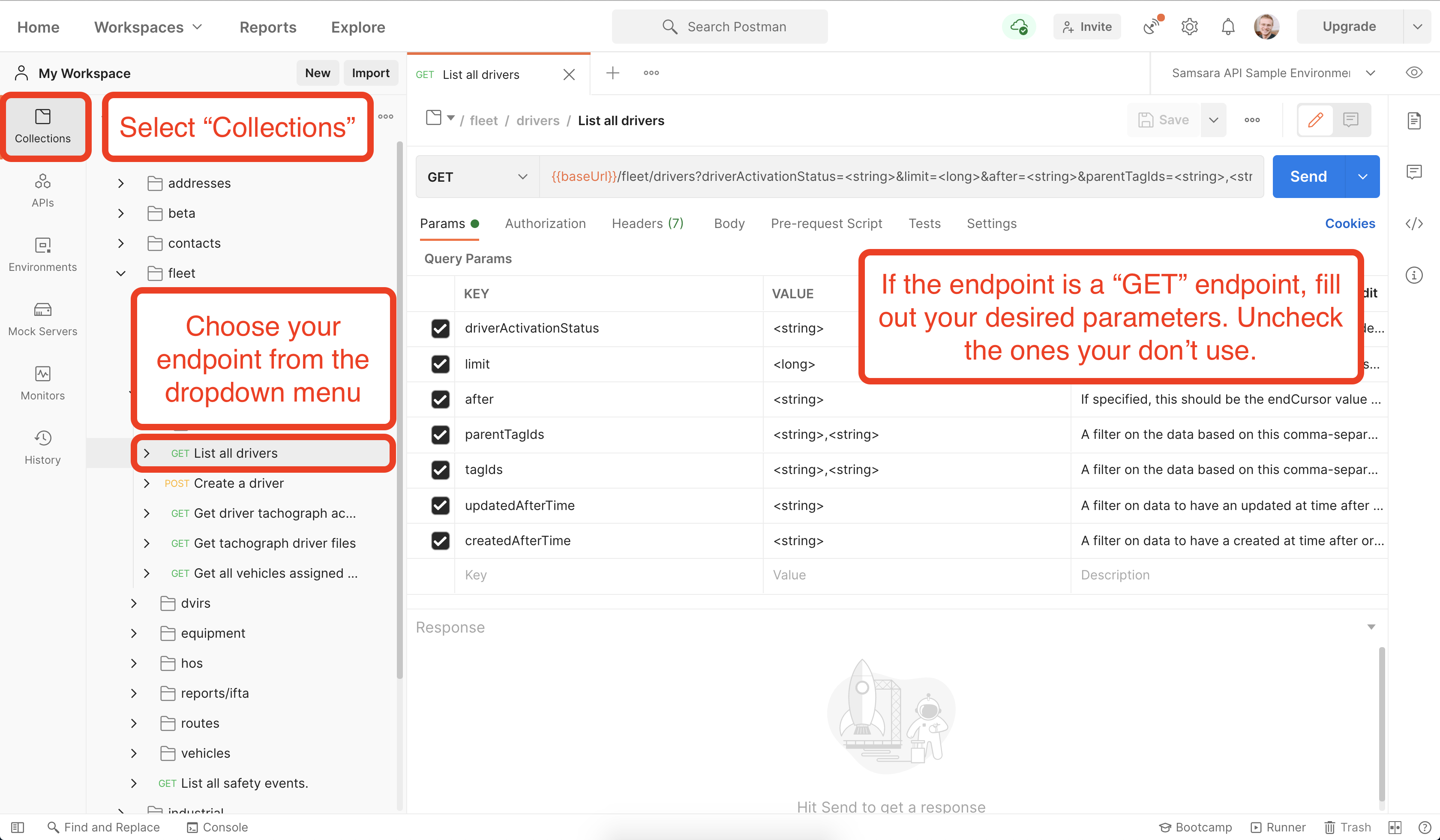
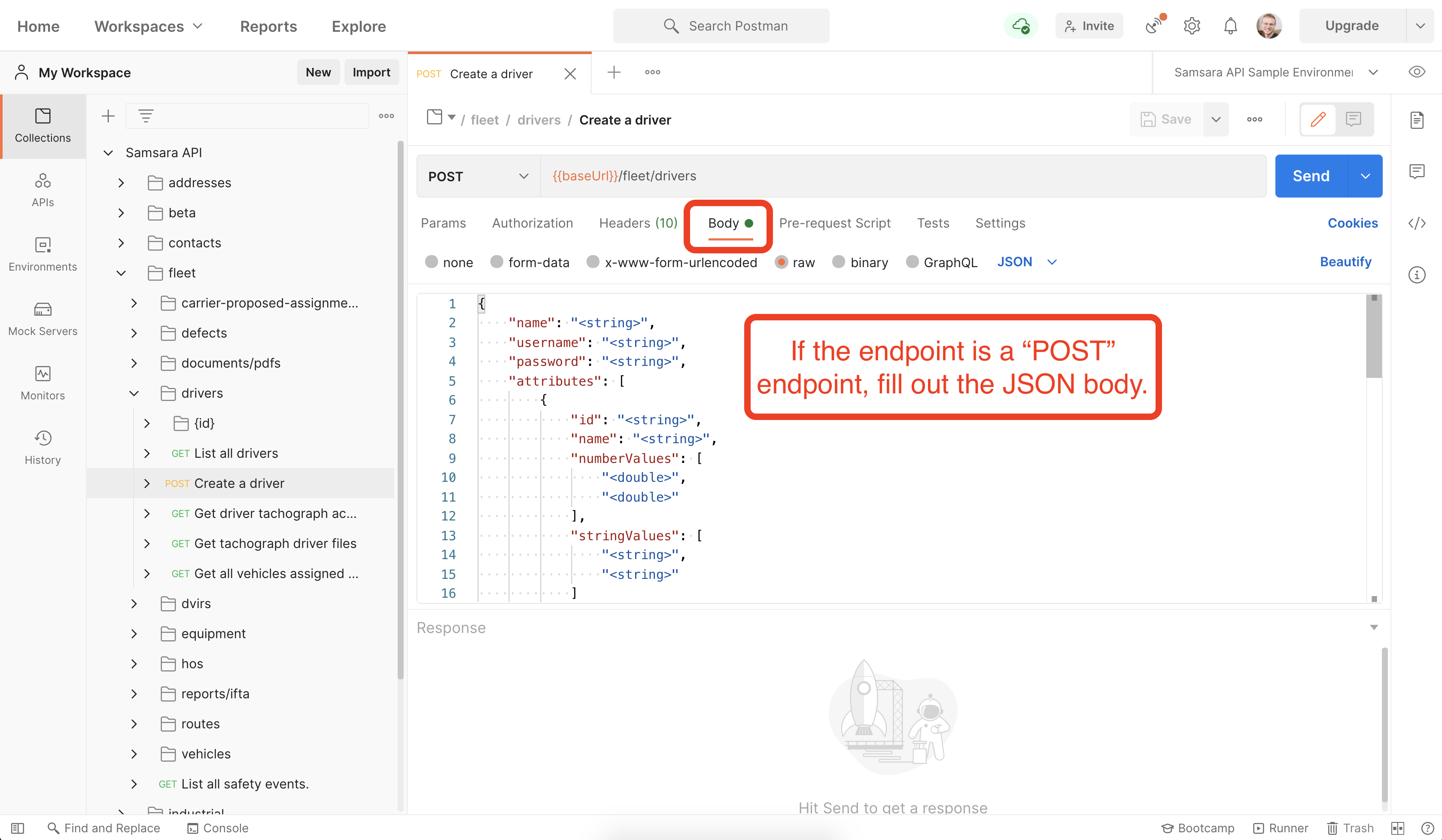
 Postman will create a “Collection” that contains the definitions of all the available endpoints and allows you to test them easily:
 Fill in the Authorization tab by selecting “Bearer Token” and pasting in your API access token.
 Click “Send” and inspect the response.